Med spa membership software in Practice OS
AEVA Digital is a provider of med spa membership software. Practice OS runs your plans on one patient record.

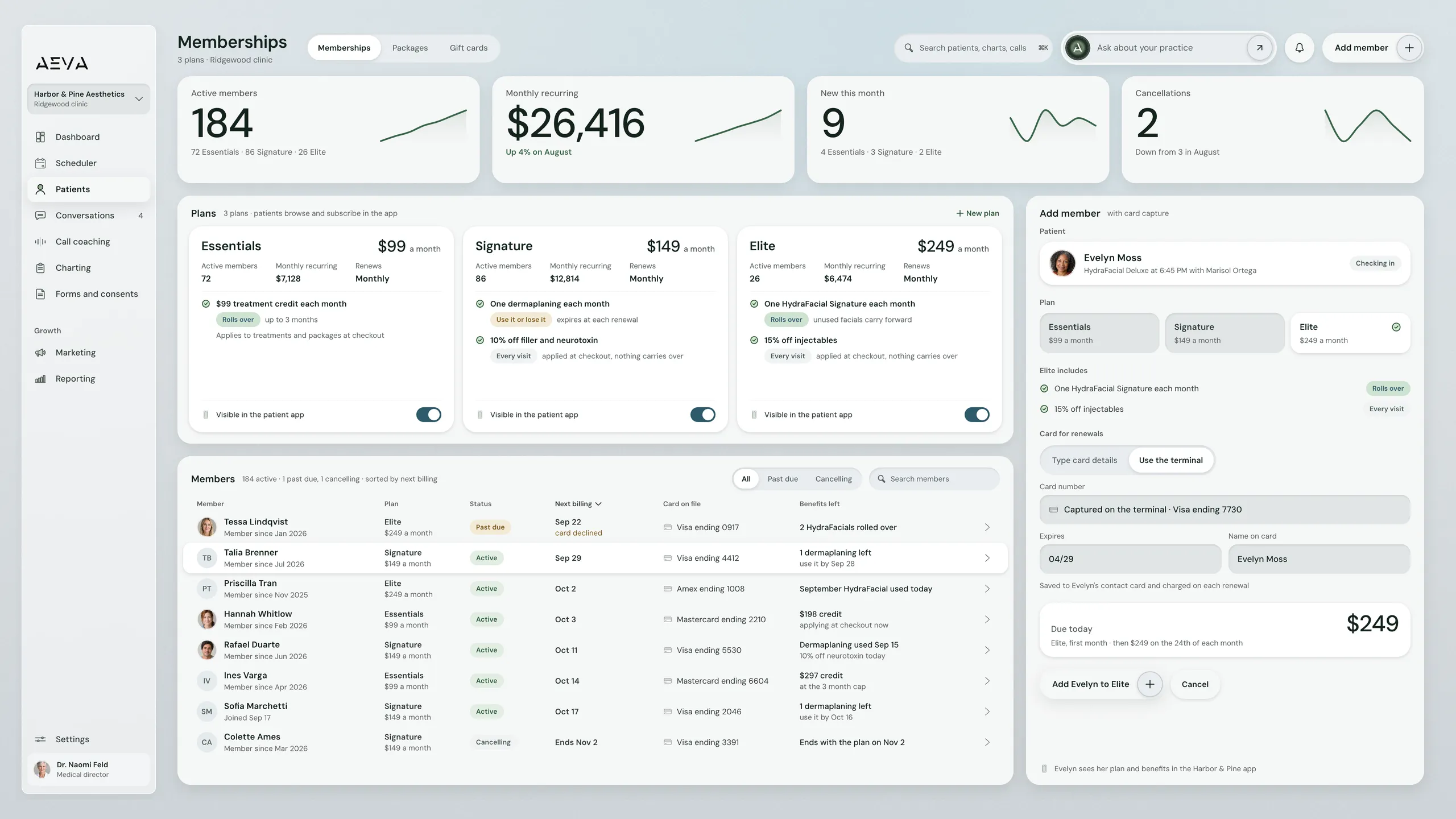
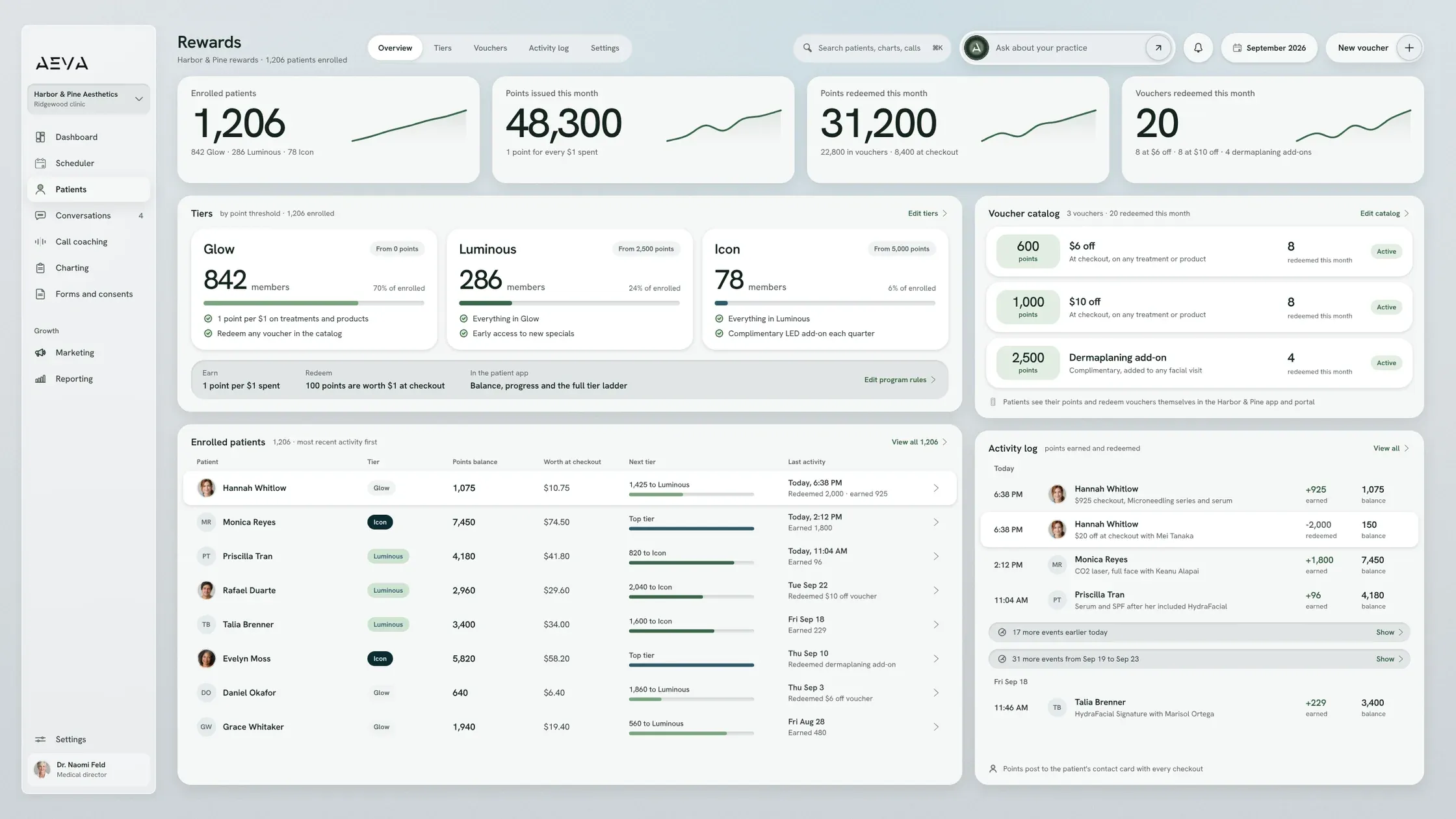
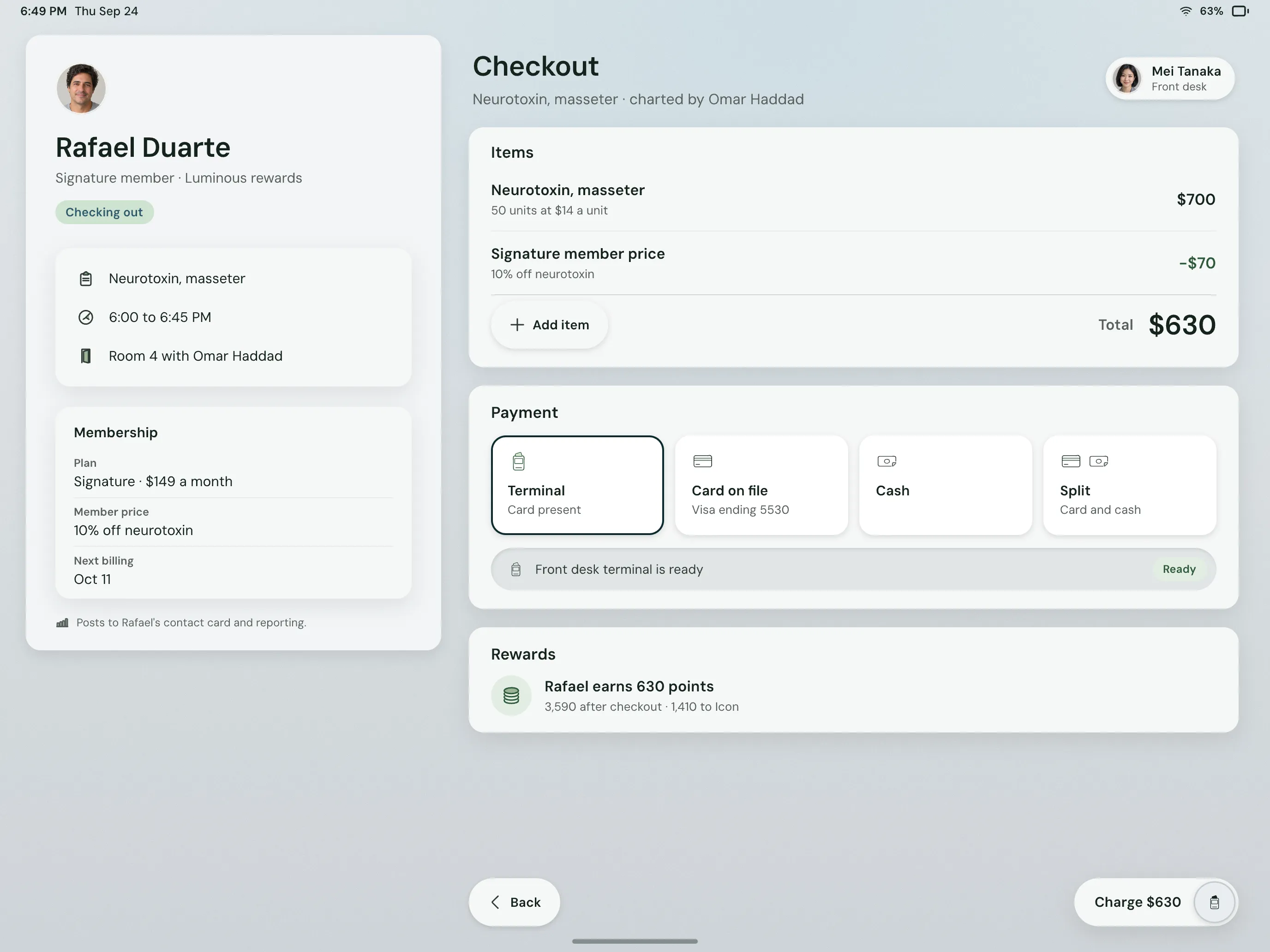
Practice OS, memberships. Demo data.
See it working
Memberships in Practice OS
On the memberships screen, member counts sit up top and three plans sit below. Each benefit has a tag, like rolls over or use it or lose it. Underneath is your member list: who bills next, which card's on file, what's left. On the right, the front desk is adding a member and taking her card.
Watch Practice OS
A membership, from plan to checkout
Watch a plan go from setup to first visit. The film has captions, and the transcript is on this page.

In the film
- Building a plan
- Adding a member
- Using a benefit
What it does
Memberships that run on the patient record
Practice OS memberships carry a plan from the day you build it to the visit where it's used.
-
Plans at any price and cadence
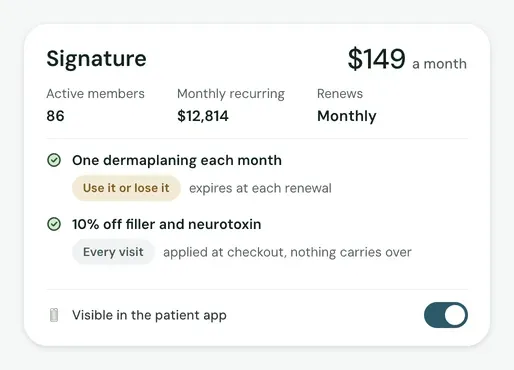
You decide the price, how often it bills and what a member gets. Maybe that's a monthly coupon. Maybe it's one chemical peel a month, added to their packages. Either way, Practice OS adds it each month, so nobody has to remember.
-
Roll over, or lose it
You choose roll-over or use-it-or-lose-it for each benefit. Package credits get used up by the visits that use them. Practice OS ties that usage to the completed appointment.
-
Patients join from the app
Your plans show up in your branded patient app, benefits listed. Patients browse and subscribe on their own. Once they've joined, they see their active plans, the monthly total and an Unsubscribe button.
-
Every member on the contact card
At the desk, your team adds a member and captures their card in one flow. The contact card holds their plans, billing history and card on file. You can change or cancel a plan right there.
For owners
How to run a med spa membership program
A med spa membership program starts with three decisions. After that, Practice OS handles the monthly side.
-
Pick the price and perk
Decide what members pay, how often they're billed and what they get each month. Practice OS takes plans at any price and cadence.
-
Set what rolls over
Choose whether an unused benefit carries over or expires at renewal. You set it per benefit, so a monthly treatment can roll over while a coupon doesn't.
-
Sell it in two places
Your front desk signs members up and captures their card, or patients join on their own in your app. Either way, the plan lands on their contact card.
Limits and handoffs
What do AEVA memberships not do?
AEVA memberships handle plans, sign-ups and benefits. Pricing, care and judgment calls stay with you.
What it leaves out
- Practice OS doesn't pick your prices or perks. You decide what every plan includes.
- Memberships don't give clinical advice. Your providers decide which treatments suit each member.
- Practice OS doesn't decide who gets a refund or an exception. That's your team's call.
When a person takes over
A person takes over when a member wants to switch plans or has a question about a charge. Your front desk handles it on the contact card.
Getting set up
Getting memberships running in Practice OS
Migration means moving your patient list and appointment history onto AEVA. You or AEVA's team can do the import.
- Sign up Sign up and start right away. Texting needs your business details and can take up to a week to switch on.
- Meet the team You meet the AEVA team about how your practice runs, so AEVA builds to your needs.
- Training Next comes training, so your team knows Practice OS before your first plan goes live.
- Ready You're ready to sell memberships! Patients find your plans in the app and join on their own.
Every practice works directly with an AEVA expert, whatever the plan.
Key facts
What you get with memberships
Here are the basics owners ask about, all live in Practice OS.
In short
Practice OS memberships let you build custom plans with monthly benefits. Members join at the desk or in your app. Their plans and payments stay on the patient record your team books and checks out on.
See how pricing works
Memberships at a glance
- Plans
- Any price and cadence you choose
- Monthly benefits
- A monthly coupon or package treatment
- Unused benefits
- Roll over or expire, set per benefit
- Sign-up
- At the desk or in the patient app
- Member records
- Plans and billing history on the contact card
- Availability
- Every Growth Engine plan, or Practice OS alone
Before a demo
Memberships questions
A few quick answers before you book a demo.
How much does AEVA membership software cost?
AEVA membership software is part of Practice OS. AEVA doesn't list prices. Practice OS comes with every Growth Engine plan or sells on its own.
How pricing worksCan patients join a membership themselves?
Patients can, in your branded patient app. They browse your plans, see what each includes and subscribe. Your front desk can add members too.
What happens to benefits a member doesn't use?
Unused benefits follow the rule you set for each one. A benefit either rolls over to next month or it's use it or lose it.
Can a plan include one treatment every month?
A plan can include a set treatment each month, like one chemical peel from a package. When a visit uses it, Practice OS takes the credit off.
Med spa retention strategiesCan I keep my current payment processor?
Your current payment processor can stay. Practice OS lets you bring your own, with your rates. Cards saved in Practice OS are charged on each renewal.


Run your membership program on one record
Practice OS runs your memberships on one patient record, from the plan you build to checkout. Book a demo and we'll walk you through a plan start to finish.
Book a demo